
Got a code?
Unlock Ares Plus.
Offer code
Redeem it in a few taps: with one link to the App Store, or right in the Ares app.
Opens the App Store on your iPhone, signed in with your Apple Account. Ares needs to be installed.
Three taps to Plus.
In the Ares app
-
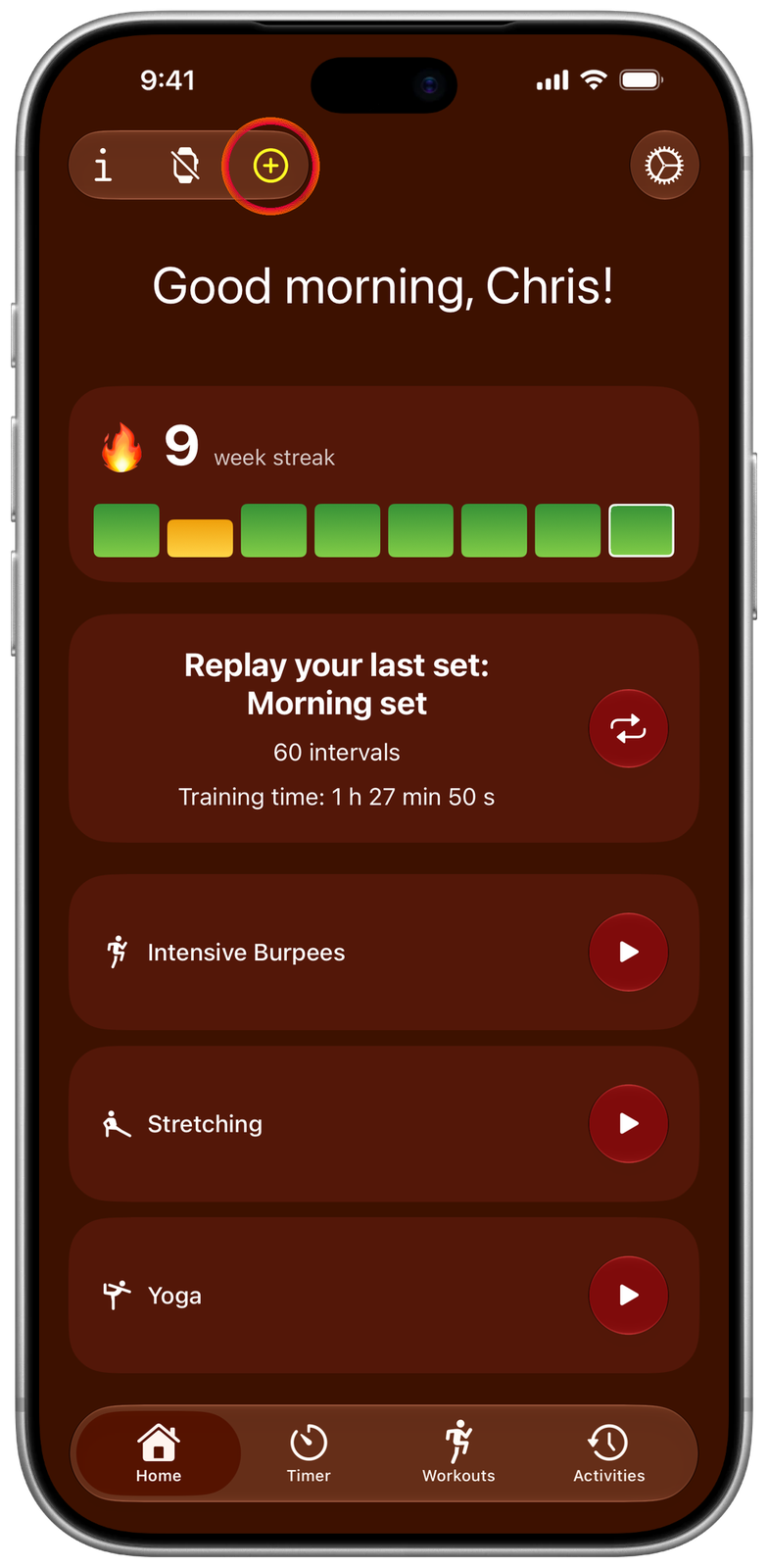
Open Ares Plus
On the home screen, tap the yellow Plus button at the top.
-

Tap the gift
It’s in the top right corner of the Ares Plus screen.
-

Enter your code
Type or paste the code and confirm. Plus turns on right away, on all your devices with the same Apple Account.


Questions
What does the code give me?
Ares Plus for as long as your code says, forever or for a set time: exercise names in your own voice, extra themes, workouts on Apple Watch, unlimited custom times and more. Everything in Ares Plus →
Will it renew on its own?
It depends on the code. A code for Plus forever is a one-time unlock: nothing renews and you’ll never be charged. A code for a free or discounted period of a subscription: when that period ends, the subscription continues at the regular price unless you cancel it. You can cancel any time in Settings → your name → Subscriptions, at least 24 hours before it renews. The App Store shows which kind it is before you confirm.
The code doesn’t work
Check that it’s typed correctly, hasn’t expired and hasn’t been used yet: each code works only once. Still stuck? Write to me and I’ll help. ares@eris.one
I can’t see the gift button
The button is hidden when Ares Plus is already active on your Apple Account, as there’s nothing left to unlock. If Plus isn’t active, update Ares to the latest version.